
Still Manually Managing Shopify Seasonality? Here’s How to Automate Product Visibility Instead!
Still seeing holiday or promo products at the top of your Shopify collections long after the season ends?
If your team keeps saying, “We spend all our admin time in January just dragging products down one by one,” it’s time to automate seasonality in your Shopify store and replace manual fixes with visibility logic that removes outdated products automatically.
Why?
Post-season collection clogging is real.
And common.
And costly!
And the biggest culprit?
Shopify has no built-in lifecycle or season window. So, merchants and merchandising managers have to either:
- Rely on Shopify’s defaults or to manually untag
- Or manually reorder items at the end of every season
But there is a fix for this, and we’re going to walk you through it!
Ready to automate seasonality in your Shopify store and say goodbye to stale product visibility? Try Kimonix for free!
%20(1).svg)
1. Why Seasonal Products Keep Ranking After the Season End
We know that Shopify’s default doesn’t understand time. It sorts products based on past performance signals, not current relevance — and those signals don’t expire on their own.
And if we quickly look at what’s happening under the hood (so to speak) we can see why Shopify sorting doesn’t dynamically “reset” bestseller or performance data.
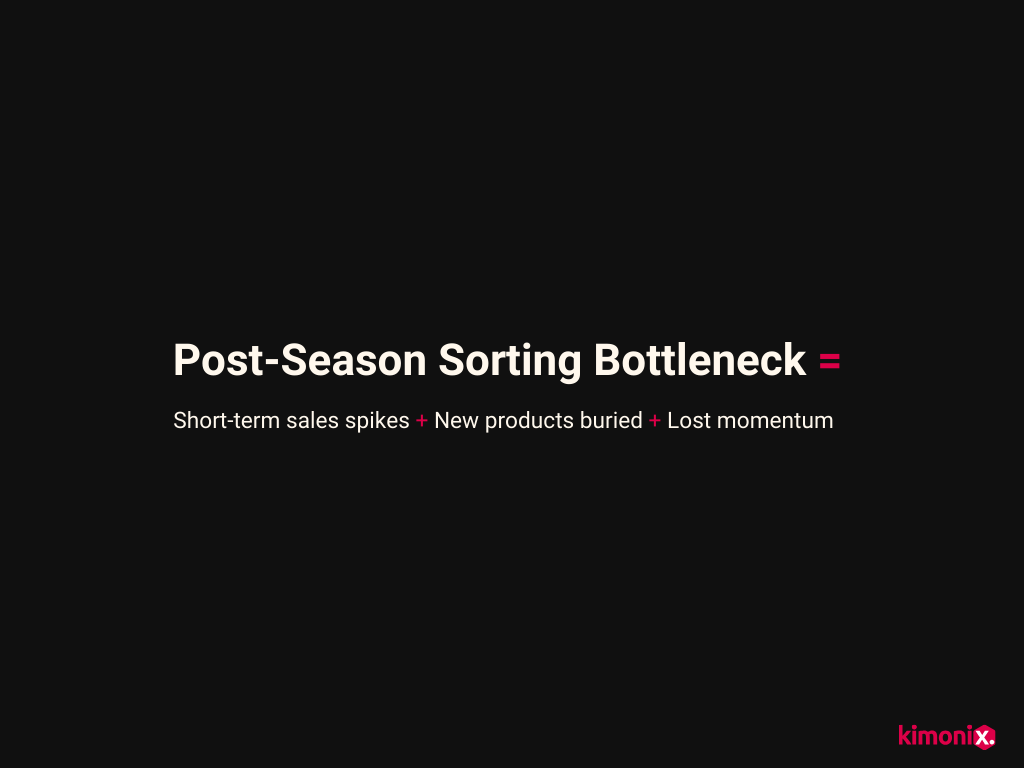
The Post-Season Product Sorting Bottleneck
During a peak season (Shopify BFCM, holidays, promos), your seasonal products:
- Get a short-term spike in sales
- Rack up clicks and conversions
- Trigger “bestseller” and performance-based sorting
Which is great, until the season ends and these signals don’t reset and viability on seasonal products stays high even though shopper intent has changed.
This is because Shopify sorting and product recommendations are one-dimensional, driven by:
- Tags (manual and static)
- Sorting rules (like bestseller, newest, or price)
- Historical performance (volume)
So, unless a human intervenes, the system has no reason to demote anything.
This is particularly troublesome if you’re selling in different markets with very different seasons.
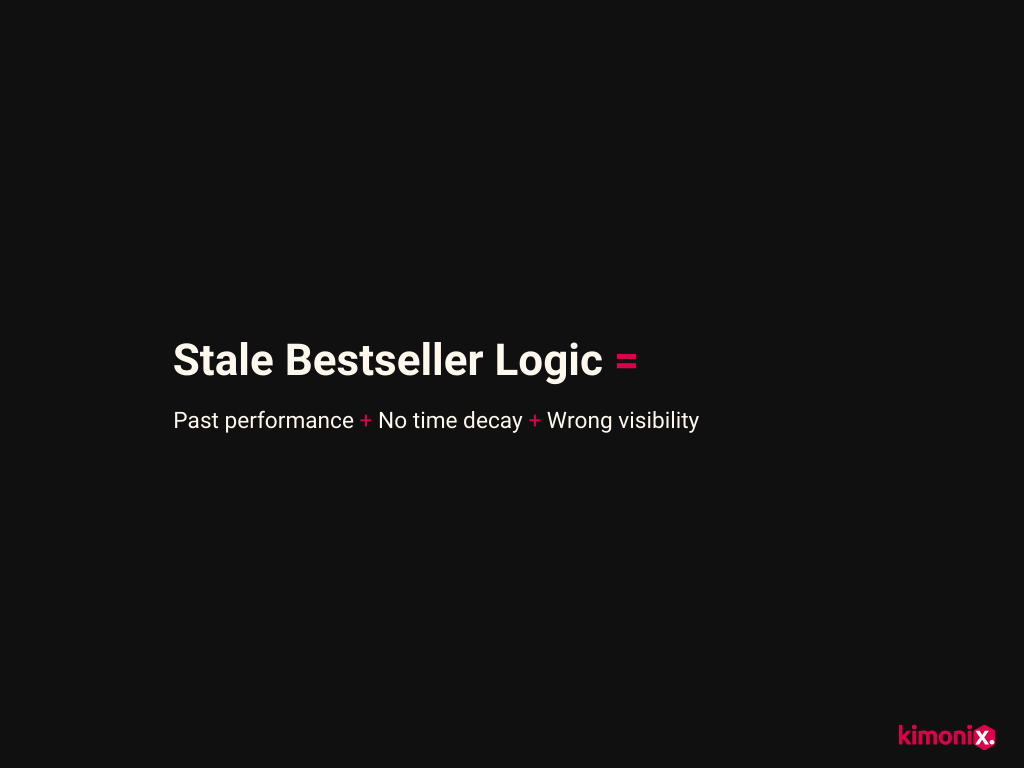
And Your Shopify Bestseller Logic Is the Biggest Offender!
Default Shopify bestseller sorting rewards what has sold in the past in terms of volume without factoring in any other important retail and marketing KPIs.
This is especially dangerous after short, intense sales spikes, as it leads to:
- Holiday-only SKUs outranking evergreen products in January
- Clearance items still appearing in prime spots
- New-season launches struggling to surface
And the result?
Merchandising teams have to focus on cleanup instead of growth strategies in January — losing valuable time manually dragging products down, untagging “Holiday,” and fixing collections.
But, the cost of not intervening is so much more than you think.
2. The Hidden Cost of Not Automating Shopify Seasonality
When seasonal products stay visible after the season ends, the damage isn’t just messy collections. It affects how people shop, what they click, and what you think is working in your store.
Let’s look at just some of the profit-draining damage.
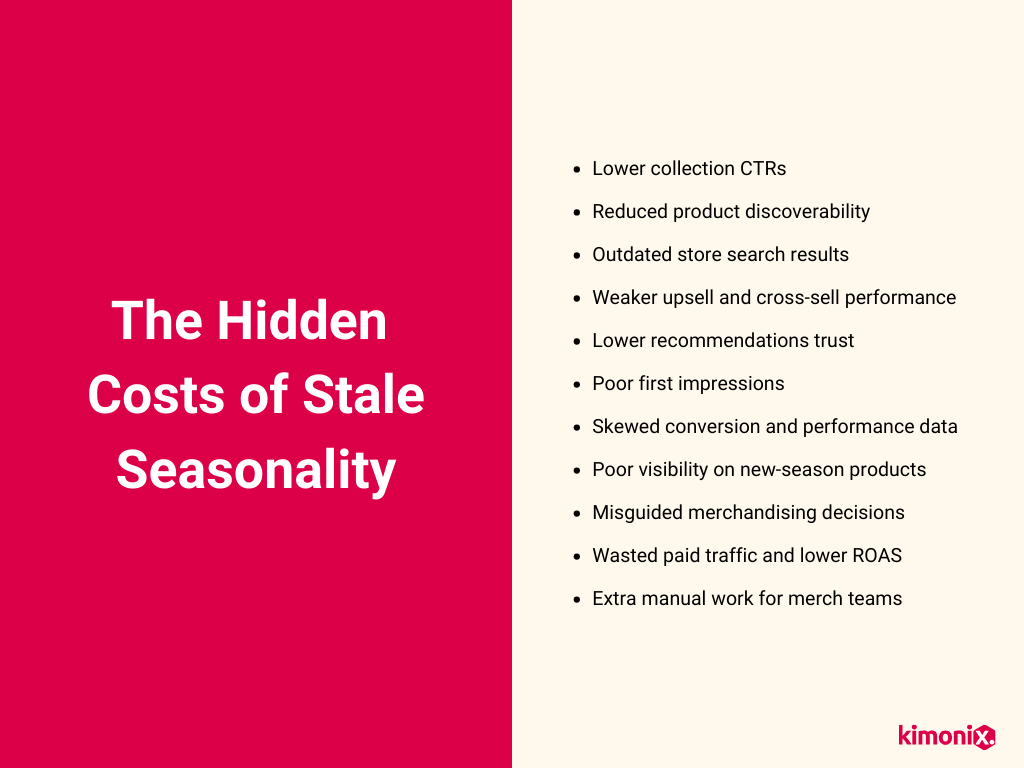
Firstly, because relevant products are not surfacing, your shoppers miss what they actually want now, so your click-through rates drop considerably more than they actually should.
Secondly, stale seasonality also dramatically affects your Shopify store search and upsells.
Search uses similar signals to collections. So when seasonality is stale:
- Holiday items still appear for generic searches
- Old winners outrank relevant items
- Shoppers think the store isn’t updated
Product recommendations don’t “know” a season ended either. And when they continue to push irrelevant products, shoppers will ignore recommendation blocks entirely, causing long-term damage (to sales and trust).
And can out-of-season products hurt conversion, even if they still sell “a bit”?
Absolutely!
But even worse: your analytics stop reflecting reality.
How Stale Seasonality Affects Long-Term Decisions
This part is dangerous.
When stale products stay visible:
- Conversion rates look worse than they should
- New products appear “weak”
- Evergreen items look like they underperform
Over time, this can lead to untrustworthy analytics, which results in poor decision-making. Like pausing campaigns that seem like they aren’t working, or clearing products that actually have a lot of potential.
The bottom line is that stale seasonality affects:
- How shoppers discover and interact with products
- How search, upsells, and recommendations perform
- How merchandising and inventory decisions are made
- How confidently teams adjust campaigns and launch
All of this hurts long-term growth and profits in the year to come.
But aren’t tags enough to prevent stale product visibility?
Unfortunately not!
3. Why Manual Shopify Fixes (Tags, Dragging, Duplicating Collections) Always Break
Tags, dragging products, and duplicated collections are static solutions trying to manage a dynamic problem.
Why?
Because they don’t respond to time, demand shifts, or market differences. And as soon as traffic, stock, or campaigns change, those fixes fall out of sync and the mess slowly returns.
And even with multiple manual fixes in place, like:
- Dragging seasonal products down in collections
- Adding and removing seasonal tags (e.g., “holiday,” “winter,” “sale”)
- Duplicating collections for in-season vs. out-of-season products
- Switching menu links between seasonal collections
- Hiding or archiving seasonal products
- Rebuilding collections after peak season
- Using static “bestseller” or “newest” sorting rules
- Running one-off Shopify Flow rules to add or remove tags
- Fixing search results and featured sections
…you’re really on constant human intervention and static rules — which means they break as soon as demand shifts or the catalog grows.
Manual fixes rely on people to constantly monitor, remember, and update seasonality logic across hundreds or thousands of SKUs.
As catalogs grow, the number of collections, tags, rules, and edge cases grows with them. Even small changes can break visibility in multiple places at once. And what barely works for 50 products becomes unmanageable, slow, and error-prone at scale.
Why?
Because manual fixes:
- Don’t scale with large or fast-changing catalogs
- Require repeated human intervention every season
- Break as soon as stock levels or traffic patterns change
- Rely on static tags instead of time or intent-based logic
- Create inconsistencies across collections, search, and recommendations
- Multiply work when products appear in multiple collections
- Become impossible to manage across multiple markets or regions
- Increase the risk of missed updates and human error
- Consume senior merch time with low-value admin work
The only fix is Shopify product sorting automation!
But Can’t Shopify Flow Fix This?
Shopify Flow is good at triggering actions automatically, but it does not control product visibility.
Let’s look at what it can and can’t do.
Shopify Flow can:
- Add or remove tags
- Trigger actions on dates or inventory changes
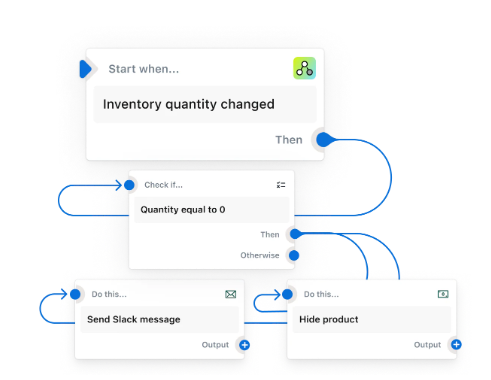
[Source: Shopify Flow]
Shopify Flow cannot:
- Re-rank products in collections based on seasonality
- Demote out-of-season products automatically
- Control how products appear in search, upsells, or recommendations
Automation is therefore not just your best option, it’s your only option.
Kimonix merchants like Neven Eyewear are seeing a 44% conversion rate lift within just 8 weeks after replacing manual collection management with automated merchandising!
4. What Automation Does Differently for Seasonal Transitions
The real problem we’re trying to solve isn’t that seasonal products perform well — it’s that their visibility dominates long after we need them to.
This is because Shopify defaults treat all performance the same. Whether it happened yesterday or two months ago, seasonal spikes keep influencing what shoppers see long after demand has passed.
But Automation Is What Brings Seasonal Decay and Visibility Logic Together
Seasonal decay is when product visibility naturally decreases after a peak period, instead of staying locked at the top. When you combine this with visibility logic, it means you're deciding what should be shown first, second, or last based on timing, relevance, and current intent — not just past sales.
Without this logic, stores rely on manual cleanup and can’t truly automate product visibility by season.
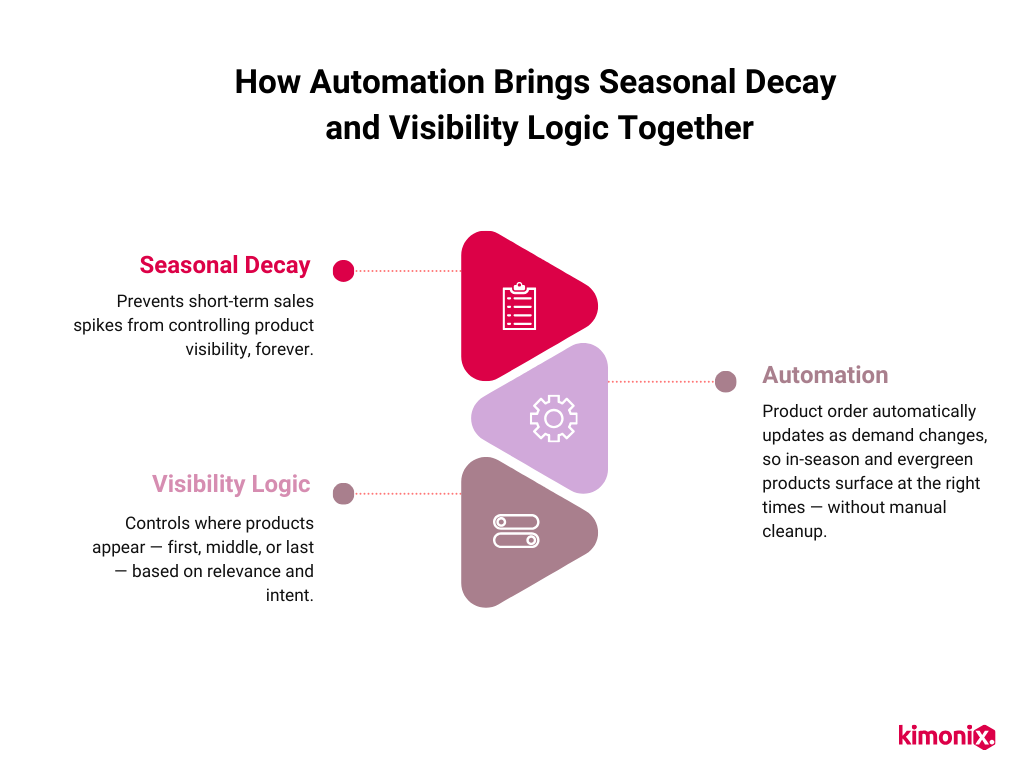
And the right Shopify sorting automation instead handles seasonality based on rules and timing. Advanced Shopify automation tools (like Kimonix!) factor in multiple parameters to dynamically sort collections and recommendations so they are aligned with what shoppers want now, without repeated manual work.
But How Is This Different from Just Automating Tags?
Automating tags only changes labels for products. It still relies on static rules and assumes something else will interpret those tags correctly, which Shopify doesn’t do consistently across collections, search, and recommendations.
Seasonal decay and visibility logic go further:
- They control where a product appears and how prominent it is, based on timing, relevance, and current intent, allowing you to automate Shopify collections by season.
That’s why stores who only automate tags still end up doing cleanup:
- The tag may change, but the product’s visibility often doesn’t.
5. How to Set Up Seasonal Automation in Shopify (So Cleanup Happens Automatically)
There are two ways Shopify stores can fix stale seasonality:
- Using automation rules (and tags)
- Third-party tools
Defining default rules that control product visibility based on timing, relevance, and demand is a good place to start for newer stores with very small catalogs. Think of it as “automation lite,” where you can manually set up some automation.
But for larger or fast-changing catalogs, it won't be enough and still requires a lot of manual work.
Instead, you need seasonal automation that combines rules with live performance and timing data to control product visibility. This means seasonal products automatically move down when demand drops, without relying on static tags or manual cleanup.
And there is only one way to implement this kind of automation:
- An advanced merchandising tool!
How Kimonix Automation Solves Shopify Seasonality
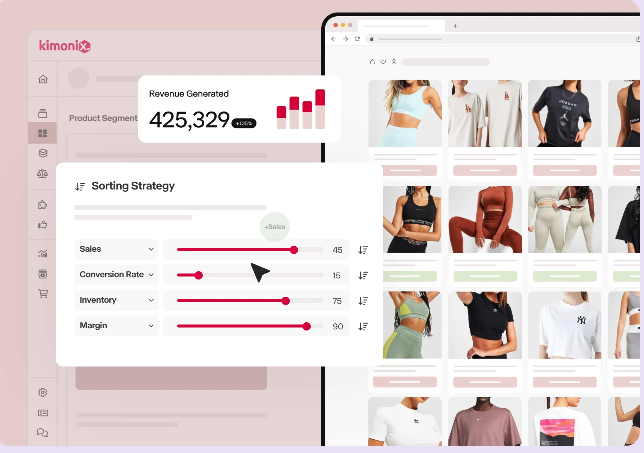
Kimonix is an AI-powered merchandising platform for Shopify that dynamically sorts collections, search results, and recommendations based on real-time data.
Kimonix adds a smart layer of Shopify collection automation that fixes stale seasonality issues before they derail your post-holiday performance. This allows seasonal products to naturally step back after peak periods, without manual cleanup or duplicated collections.
Kimonix Can Also Handle Different Seasons Per Market
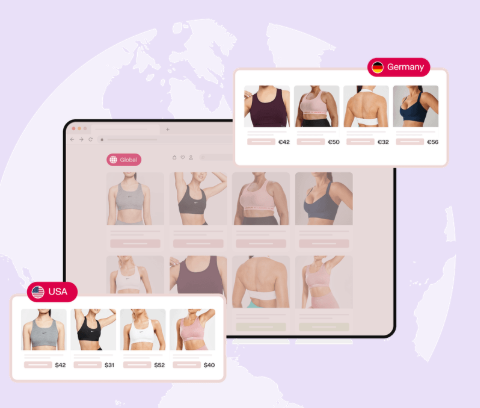
While Shopify Markets lets you localize prices, currency, and language, it does not localize product visibility or sorting logic. That means, the same seasonal performance signals are reused everywhere, even when demand is completely different by region.
Kimonix is the only plug-and-play solution that handles market-specific seasonality, so a product can step back in one region while staying prominent in another. This is what makes it possible to handle opposing seasons (like US vs. AU) without duplicating collections or doing manual overrides.
Ready to see how Kimonix handles seasonality, automatically?
TL;DR: You Need Visibility Automation, Not Just Tags
If you're still managing Shopify seasonality with tags, product dragging, or duplicated collections, you're fighting a losing battle.
The problem isn't your effort — it's that static fixes don't respond to demand shifts or catalog growth.
You need automation that actually controls where products appear and how prominent they are based on timing and relevance. That's the only way seasonal products naturally step back when demand drops without constant cleanup.
And why is a quality automation tool like Kimonix the only way to fix this?
Kimonix applies real-time visibility and sorting logic that Shopify doesn’t natively support, including seasonal decay and market-specific behavior.
Kimonix does this automatically across the storefront and markets, so seasonality fixes itself instead of becoming another manual cleanup task. And it’s the only plug-and-play app that prevents stale product visibility with Shopify markets!
Ready to automate seasonality in your Shopify store and say goodbye to stale product visibility? Try Kimonix for free!
Social Media


Recent Posts


